WpsOffice_Linux使用记录
解决zotero插入的引用不能跳转
原文链接:https://cloud.tencent.com/developer/article/2455092
但是linux和wps下不能执行vbs,于是使用gemini转换为可运行的js宏

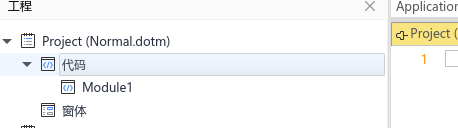
插入一个模块,重命名ZoteroLinkCitation
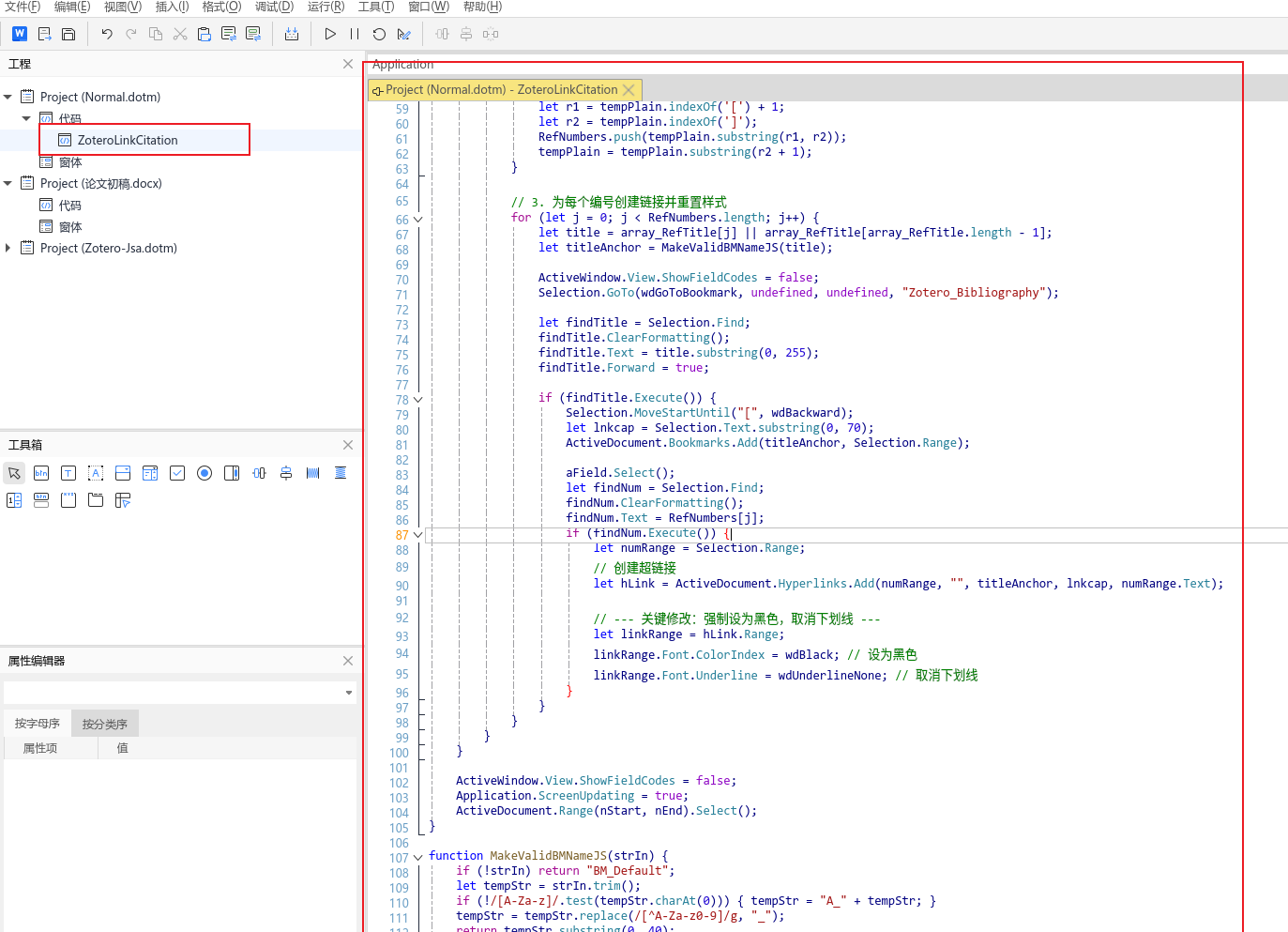
复制替换内容:
/**
 * ZoteroLinkCitation JS版 (强制黑色无下划线)
 */
function ZoteroLinkCitationJS() {
    let nStart = Selection.Start;
    let nEnd = Selection.End;

    Application.ScreenUpdating = false;
    ActiveWindow.View.ShowFieldCodes = true;

    // 1. 查找并标记 Zotero 参考文献列表
    let findRef = Selection.Find;
    findRef.ClearFormatting();
    findRef.Text = "^d ADDIN ZOTERO_BIBL";
    findRef.Forward = true;
    findRef.Wrap = wdFindContinue;

    if (findRef.Execute()) {
        ActiveDocument.Bookmarks.Add("Zotero_Bibliography", Selection.Range);
    } else {
        alert("未发现 Zotero 参考文献列表,请先生成引文目录。");
        ActiveWindow.View.ShowFieldCodes = false;
        return;
    }

    // 2. 遍历文档中的所有域
    let fields = ActiveDocument.Fields;
    for (let i = 1; i <= fields.Count; i++) {
        let aField = fields.Item(i);
        let fieldCode = aField.Code.Text;

        if (fieldCode.includes("ADDIN ZOTERO_ITEM")) {

            // 解析标题 (Title)
            let array_RefTitle = [];
            let tempCode = fieldCode;
            while (tempCode.includes('"title":"')) {
                let n1 = tempCode.indexOf('"title":"') + '"title":"'.length;
                let n2 = tempCode.indexOf('","', n1);
                if (n2 === -1 || n2 < n1) { n2 = tempCode.indexOf('}', n1); }
                array_RefTitle.push(tempCode.substring(n1, n2));
                tempCode = tempCode.substring(n2 + 1);
            }

            // 解析引用编号
            let plain_Cit = "";
            let plBeg = '"plainCitation":"[';
            let plEnd = ']"';
            let p1 = fieldCode.indexOf(plBeg);
            if (p1 !== -1) {
                p1 += plBeg.length - 1;
                let p2 = fieldCode.indexOf(plEnd, p1) + 1;
                plain_Cit = fieldCode.substring(p1, p2);
            }

            let RefNumbers = [];
            let tempPlain = plain_Cit;
            while (tempPlain.includes('[') && tempPlain.includes(']')) {
                let r1 = tempPlain.indexOf('[') + 1;
                let r2 = tempPlain.indexOf(']');
                RefNumbers.push(tempPlain.substring(r1, r2));
                tempPlain = tempPlain.substring(r2 + 1);
            }

            // 3. 为每个编号创建链接并重置样式
            for (let j = 0; j < RefNumbers.length; j++) {
                let title = array_RefTitle[j] || array_RefTitle[array_RefTitle.length - 1];
                let titleAnchor = MakeValidBMNameJS(title);

                ActiveWindow.View.ShowFieldCodes = false;
                Selection.GoTo(wdGoToBookmark, undefined, undefined, "Zotero_Bibliography");

                let findTitle = Selection.Find;
                findTitle.ClearFormatting();
                findTitle.Text = title.substring(0, 255);
                findTitle.Forward = true;

                if (findTitle.Execute()) {
                    Selection.MoveStartUntil("[", wdBackward);
                    let lnkcap = Selection.Text.substring(0, 70);
                    ActiveDocument.Bookmarks.Add(titleAnchor, Selection.Range);

                    aField.Select();
                    let findNum = Selection.Find;
                    findNum.ClearFormatting();
                    findNum.Text = RefNumbers[j];
                    if (findNum.Execute()) {
                        let numRange = Selection.Range;
                        // 创建超链接
                        let hLink = ActiveDocument.Hyperlinks.Add(numRange, "", titleAnchor, lnkcap, numRange.Text);

                        // --- 关键修改:强制设为黑色,取消下划线 ---
                        let linkRange = hLink.Range;
                        linkRange.Font.ColorIndex = wdBlack; // 设为黑色
                        linkRange.Font.Underline = wdUnderlineNone; // 取消下划线
                    }
                }
            }
        }
    }

    ActiveWindow.View.ShowFieldCodes = false;
    Application.ScreenUpdating = true;
    ActiveDocument.Range(nStart, nEnd).Select();
}

function MakeValidBMNameJS(strIn) {
    if (!strIn) return "BM_Default";
    let tempStr = strIn.trim();
    if (!/[A-Za-z]/.test(tempStr.charAt(0))) { tempStr = "A_" + tempStr; }
    tempStr = tempStr.replace(/[^A-Za-z0-9]/g, "_");
    return tempStr.substring(0, 40);
}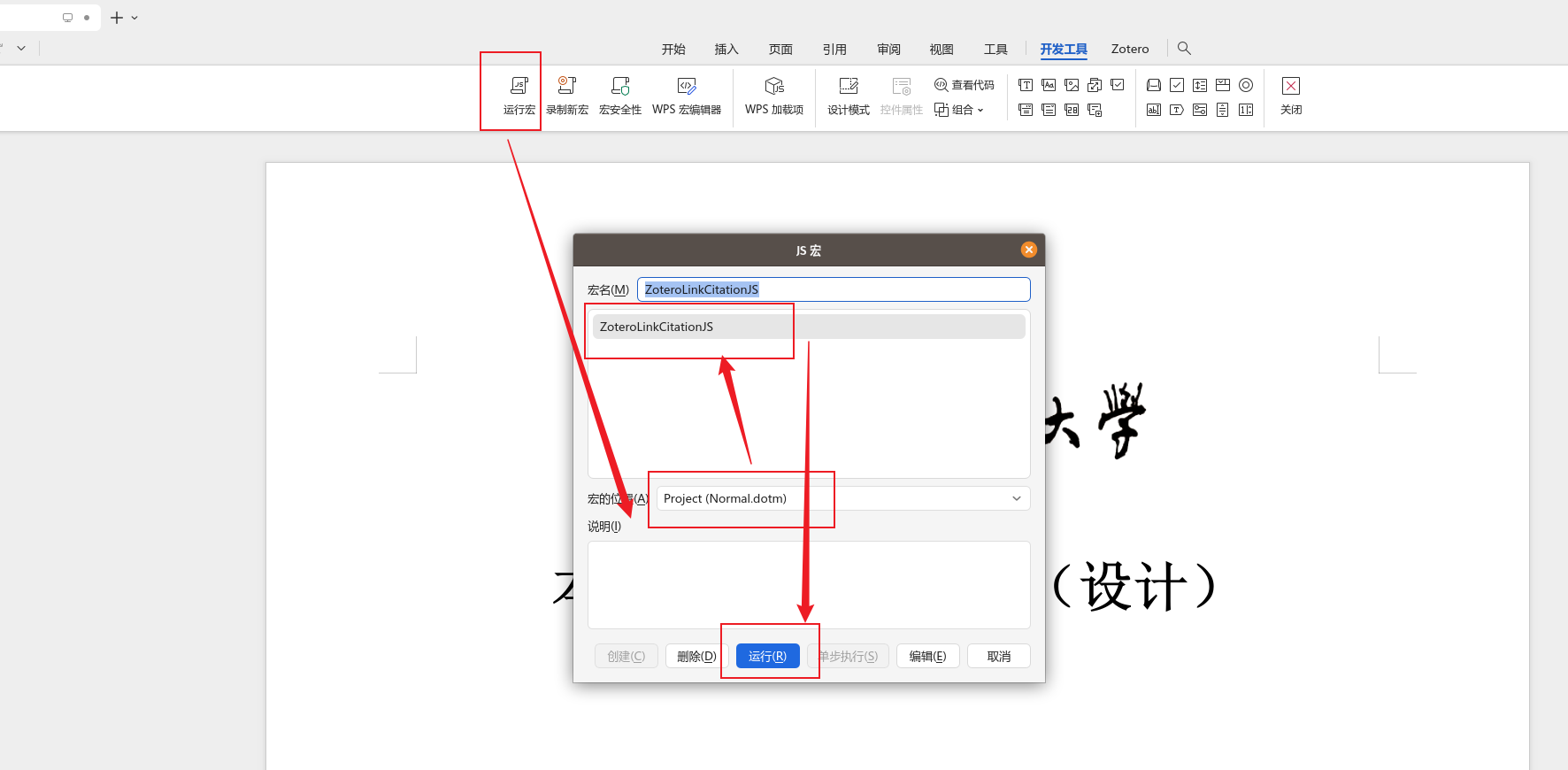
之后点击即可跳转